Project: Postgres Practice Tool
🐘 Postgres Practice: a pocket SQL IDE for Android
Practice real PostgreSQL on your phone, completely offline. No PC, no server, no internet.
I'm learning data engineering and wanted to practice SQL anywhere, not only at my desk. So I built my own mobile SQL IDE that runs an actual PostgreSQL engine on the device, with a built-in Markdown notebook that turns your practice into a clean, shareable study file.
Note: This repository is a showcase. It contains the README and screenshots only. The app itself is not public.
📱 Screenshots
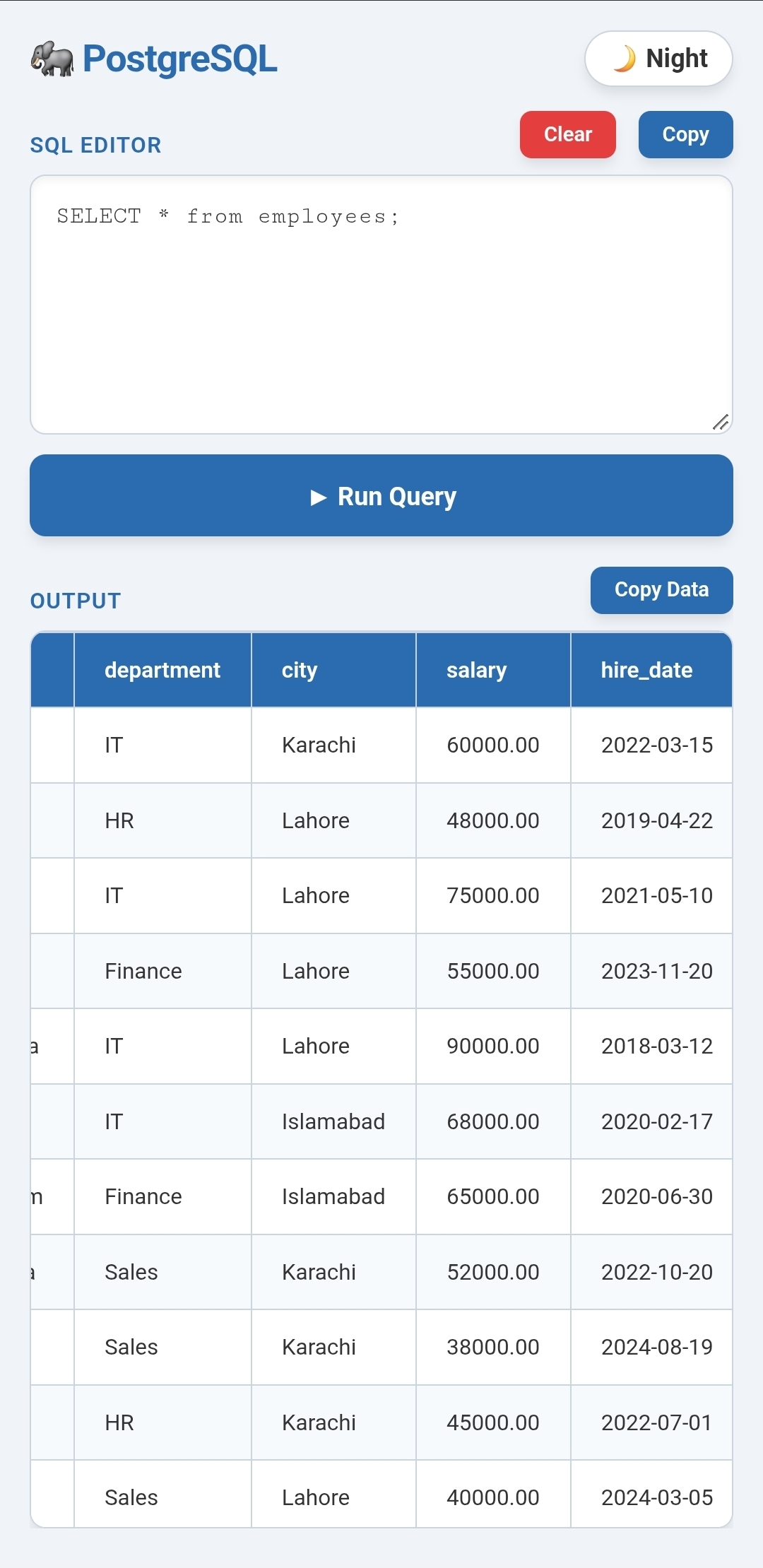
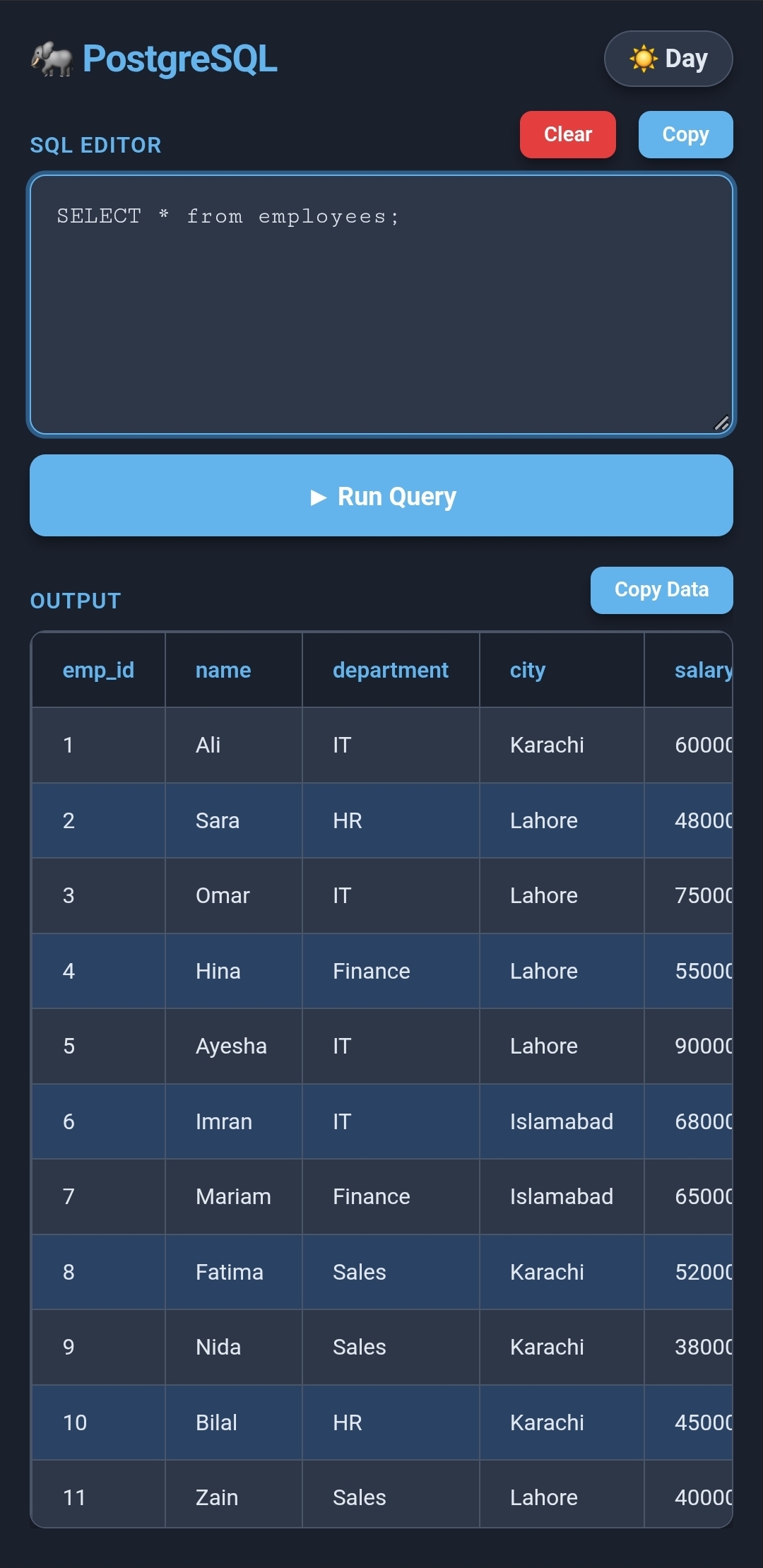
Light mode and dark mode
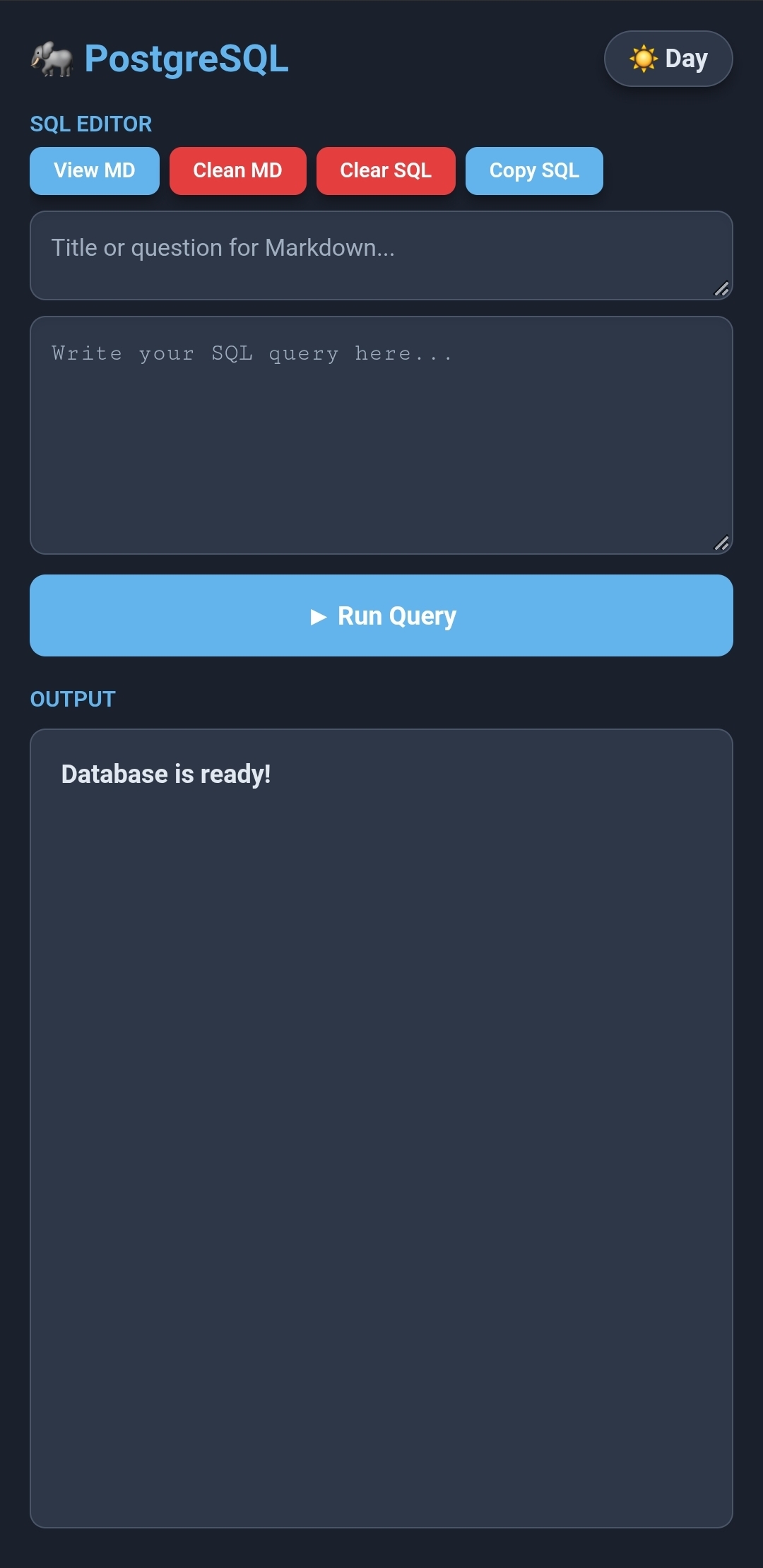
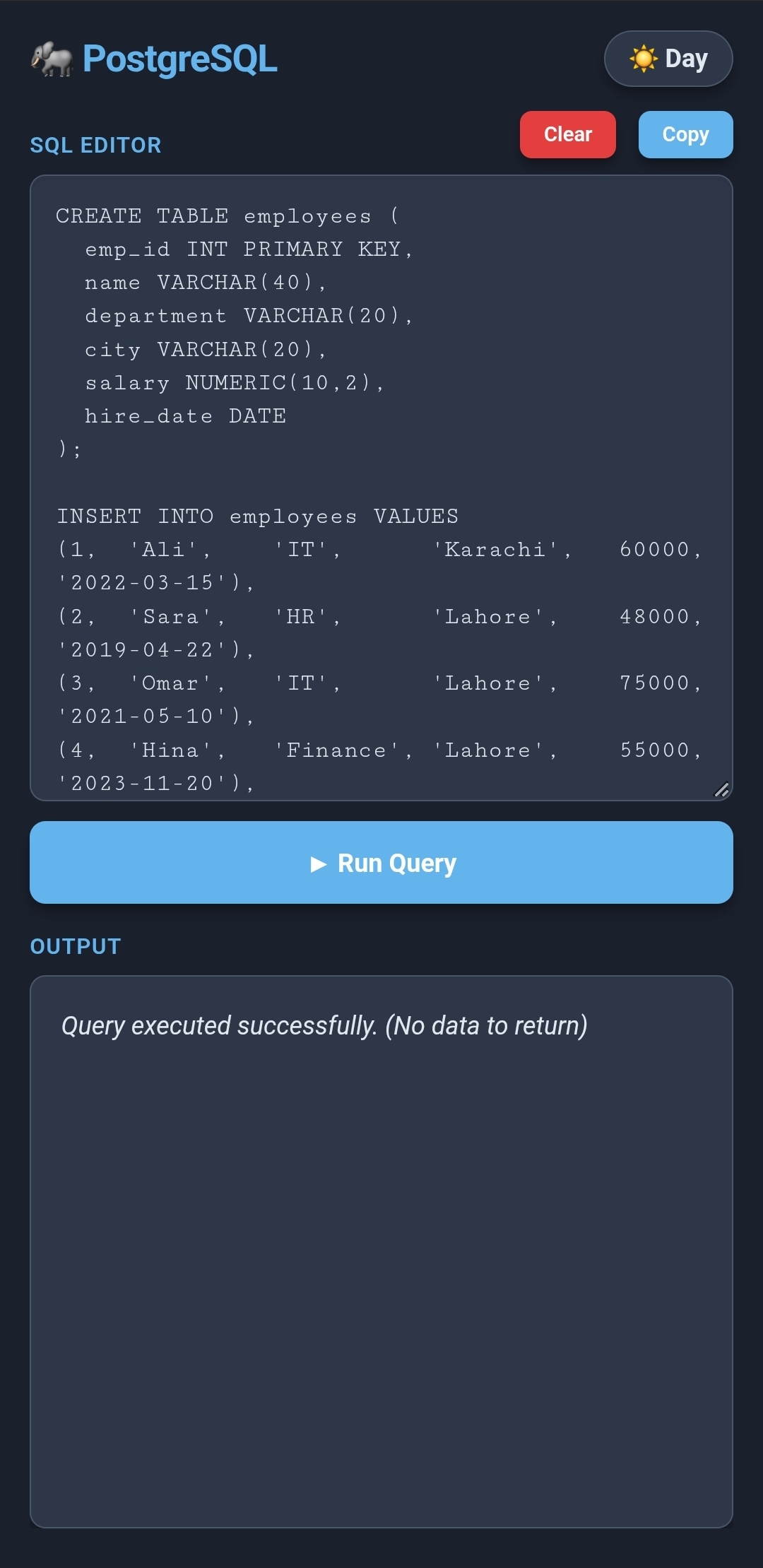
Ready to use, and creating a table with data
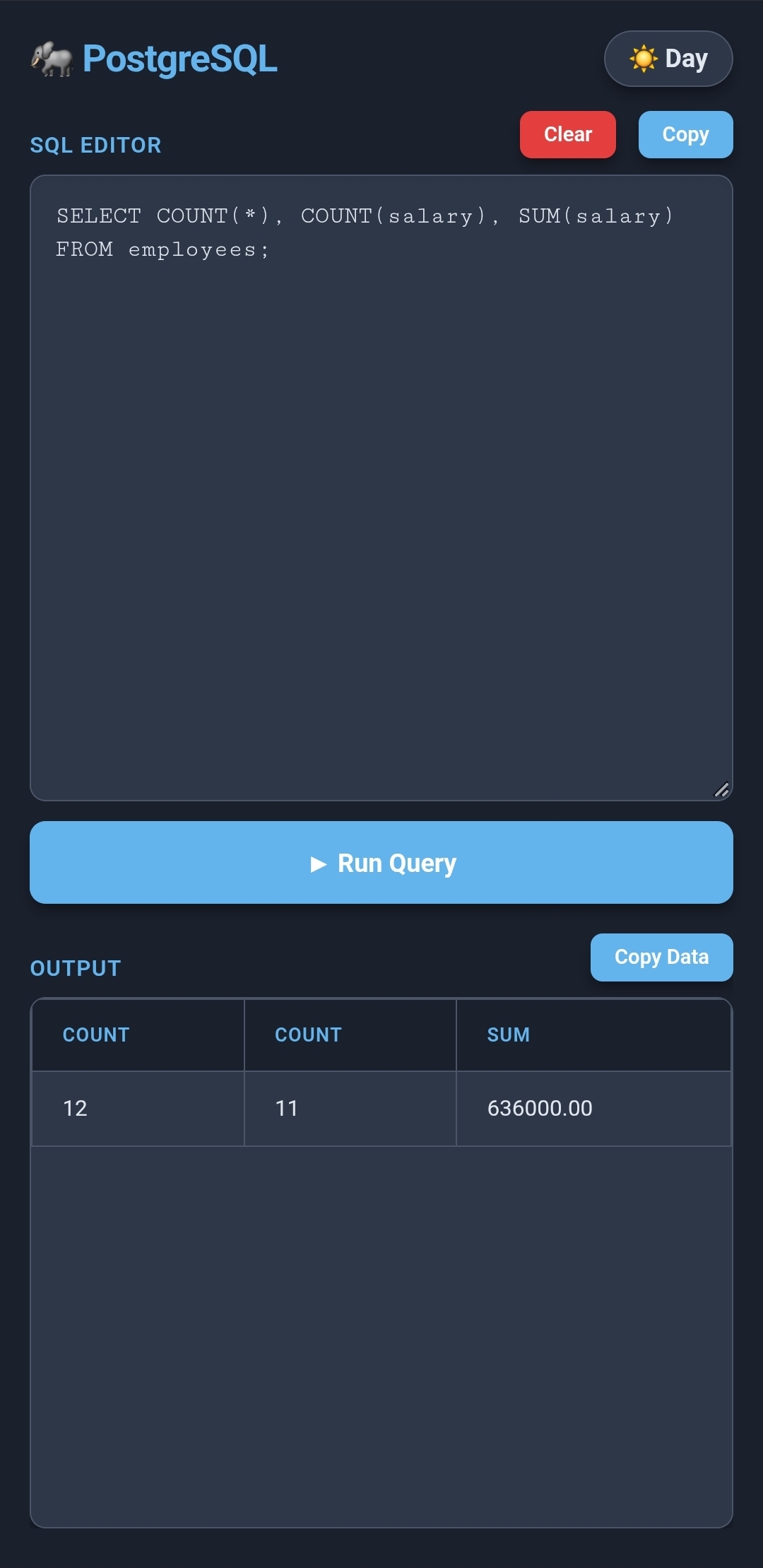
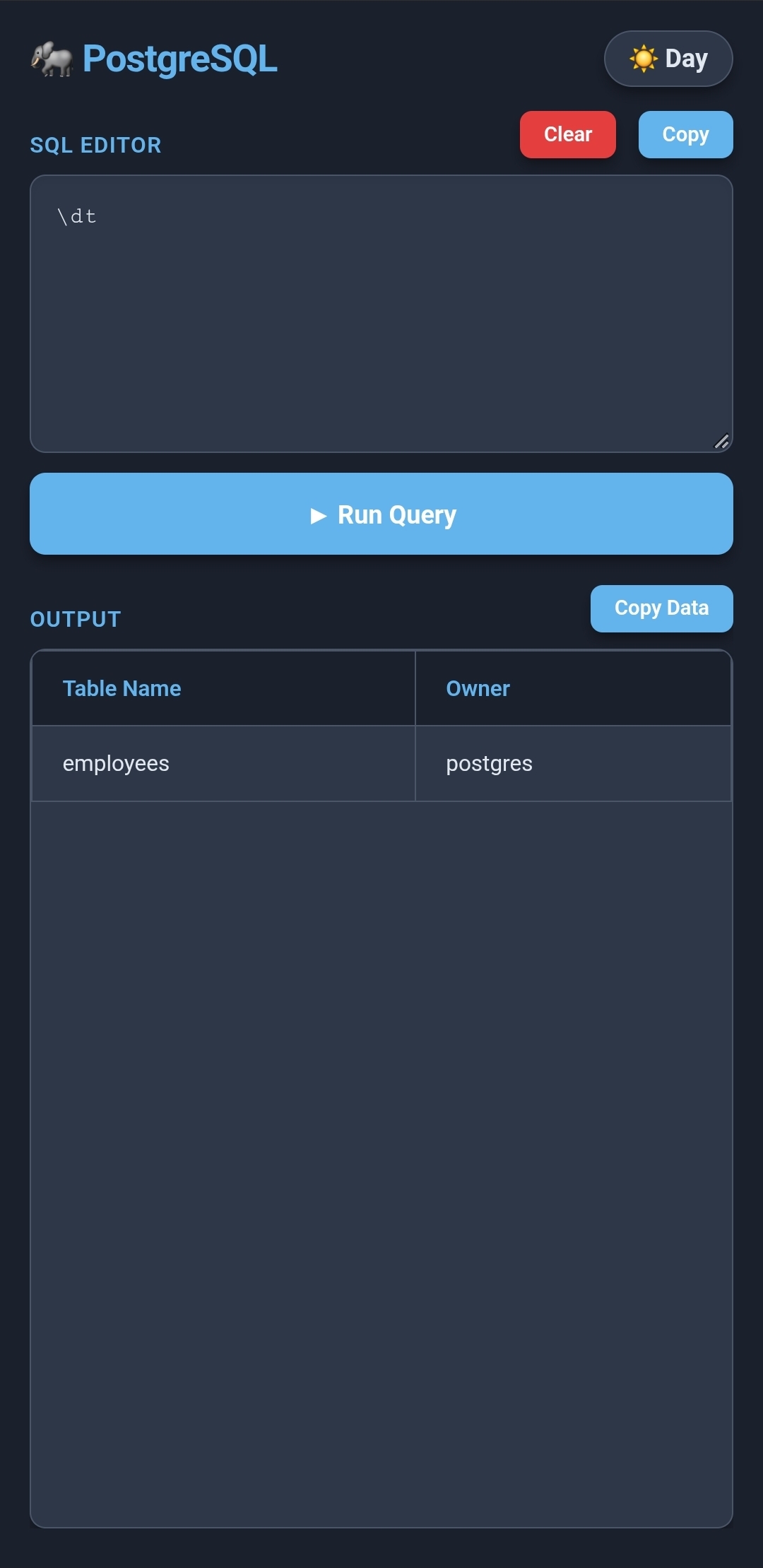
An aggregate query, and the \dt shortcut
📝 Markdown notebook
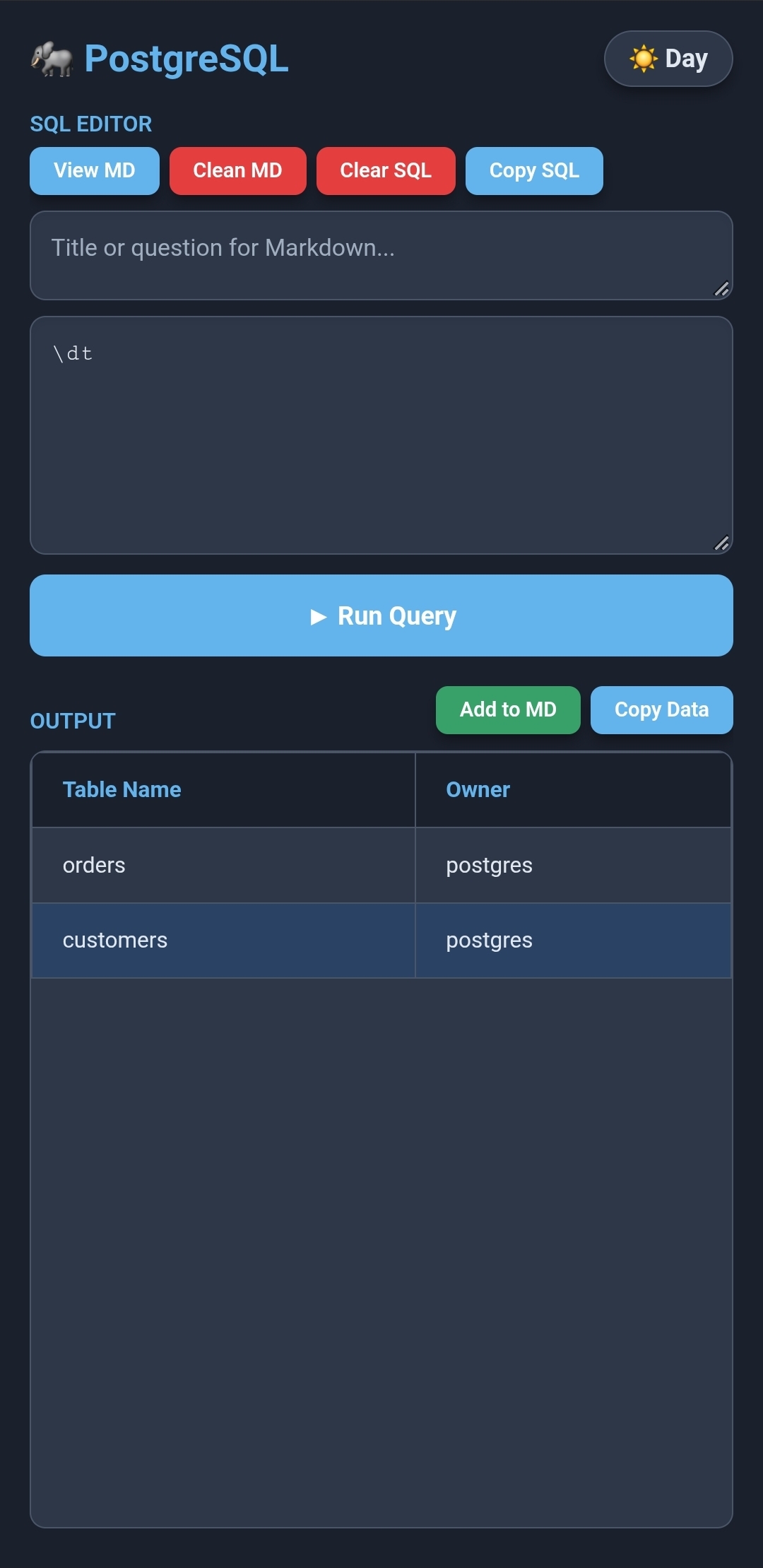
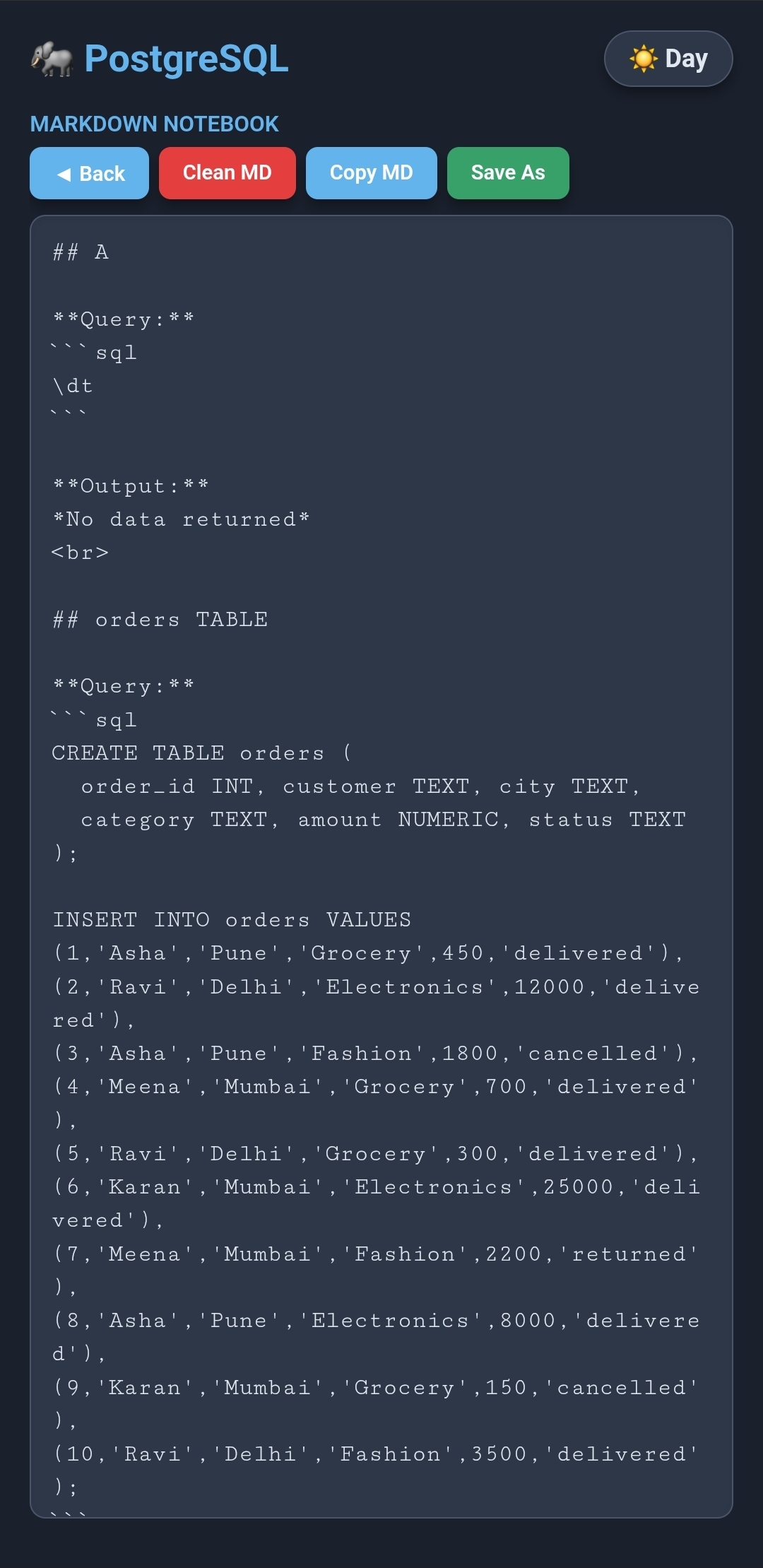
Question box with Add to MD after a successful run, and the notebook view
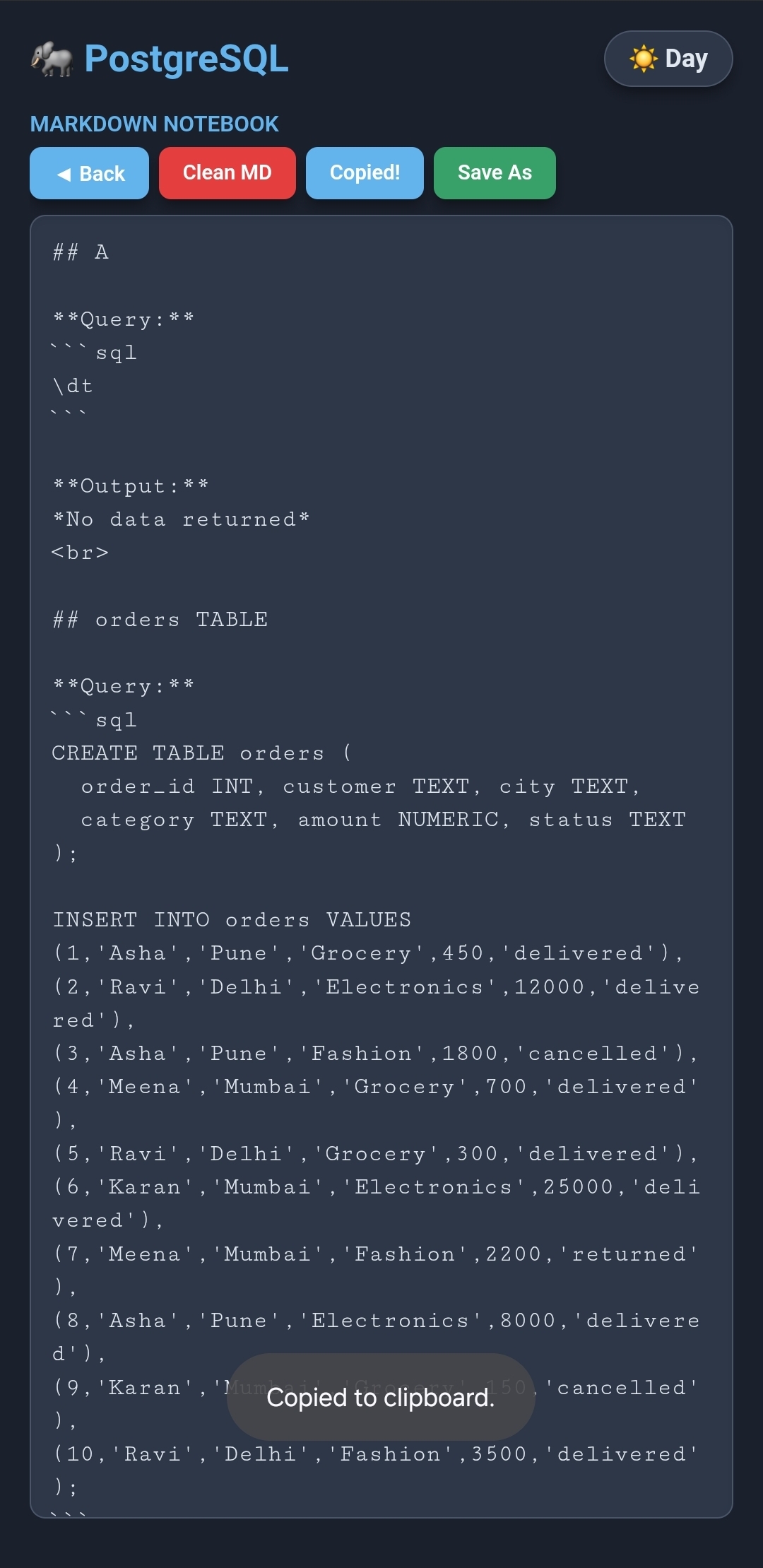
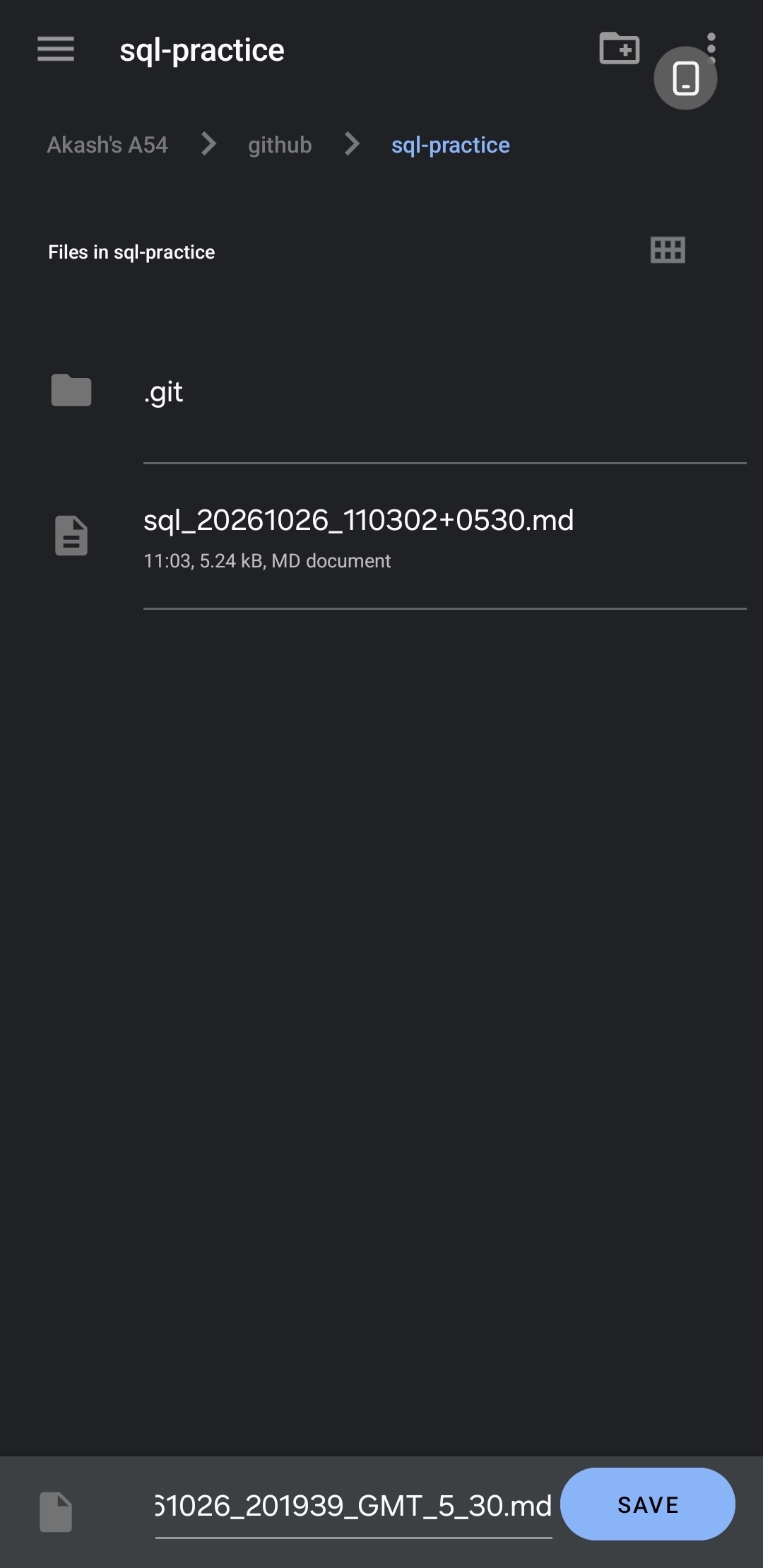
Copy the notebook as text, or save it as a timestamped .md file
✨ Features
Real PostgreSQL, on your phone
- Runs PGlite (PostgreSQL compiled to WebAssembly) inside an Android WebView
- 100% offline and serverless: it connects to no external servers
- Full SQL support:
CREATE,DROP,INSERT,UPDATE,DELETE,JOIN, subqueries, aggregates, window functions, CTEs (WITH) and constraints - Persistent storage: tables, rows and schemas are saved on the device (IndexedDB) and are still there after closing the app or restarting the phone
Accurate results
- Reads results in raw array mode, so queries like
SELECT COUNT(*), COUNT(salary)show both columns, even when the names match - Dates and timestamps display exactly as stored (
YYYY-MM-DD,YYYY-MM-DD HH:MM:SS), with no timezone shifting - Column headers keep the exact casing from the database
NULLvalues show as fadednull, and JSON and array values are safely displayed as text
📝 Markdown notebook (new)
Turn your practice session into an organized study file: question, query and output together.
- Question box (optional): type a title or a practice question above the editor and keep it in view while you write the query. No switching apps or flipping to a question paper. For casual practice, just leave it empty.
- Add to MD: saves the current entry to the notebook, with guard rails so the notebook never gets a mismatched entry:
- The button appears only after a successful run
- Each run can be added only once, then the button hides until you run a query again
- It also hides if you change the title or the SQL after running, so an old output can't be saved under a new question
- Entry format: the title as a heading, the SQL in a code block, then the output table
- View MD: open the whole notebook inside the app
- Edit in place: change or delete anything directly in the notebook view
- Copy MD: copy the notebook as text to paste anywhere
- Save As: save it as a
.mdfile with a prefix and a local timestamp in the name (for examplesql_20261026_201939_GMT_5_30.md), ready to push to GitHub - Clean MD: clear the notebook after a yes/no confirmation
- Persistent: the notebook is kept in local storage until you clean it or clear the app data
Example of what an entry looks like:
## Total spend per customer

**Query:**
```sql
SELECT customer, SUM(amount) AS total
FROM orders
GROUP BY customer;
```

**Output:**
| customer | total |
|----------|-------|
| Asha     | 10250 |
| Ravi     | 16100 |
Clean mobile interface
- Day and night themes: follows the system theme on first launch and remembers your choice
- Smart editor: monospace font, spellcheck off (no red squiggles under SQL keywords), expandable height
- Scrollable result tables with a sticky header and alternating row colors
psql shortcuts
\dt: lists the tables in your database and their owners\c: reminds you that you're already connected locally- Other
\commands: explains that they're unsupported and suggests standard SQL
Copy and share
- Copy SQL: copies your query to the clipboard in one tap
- Clear SQL: empties the editor and refocuses the keyboard
- Copy Data: turns the results into a neatly aligned plain-text table that stays formatted when pasted into WhatsApp, Slack, Notes or email
emp_id | name | department | salary
-------|------|------------|----------
1      | Ali  | IT         | 60000.00
2      | Sara | HR         | 48000.00
🛠️ Tech stack
- Database engine: PGlite (PostgreSQL in WebAssembly)
- Frontend: HTML, CSS and JavaScript, bundled with Vite
- Native wrapper: Capacitor and Android WebView
- Build: Android Gradle, compiled on-device with Termux
- Storage: IndexedDB (
idb://postgres-practice-db) for the database, local storage for the Markdown notebook
🎯 Why I built it
- To practice
SELECT,WHERE,GROUP BY,HAVING, aggregates and more whenever I have a few spare minutes - To let students keep the question, query and output together and export them as a clean Markdown file
- To learn how WebAssembly, Capacitor and Android builds fit together
- To prove that you can build a real developer tool entirely from a phone
👤 Author
Soumyadip Ghosh Learning data engineering: Python, SQL and ETL.


Feedback and ideas are welcome. Open an issue or message me on LinkedIn.